
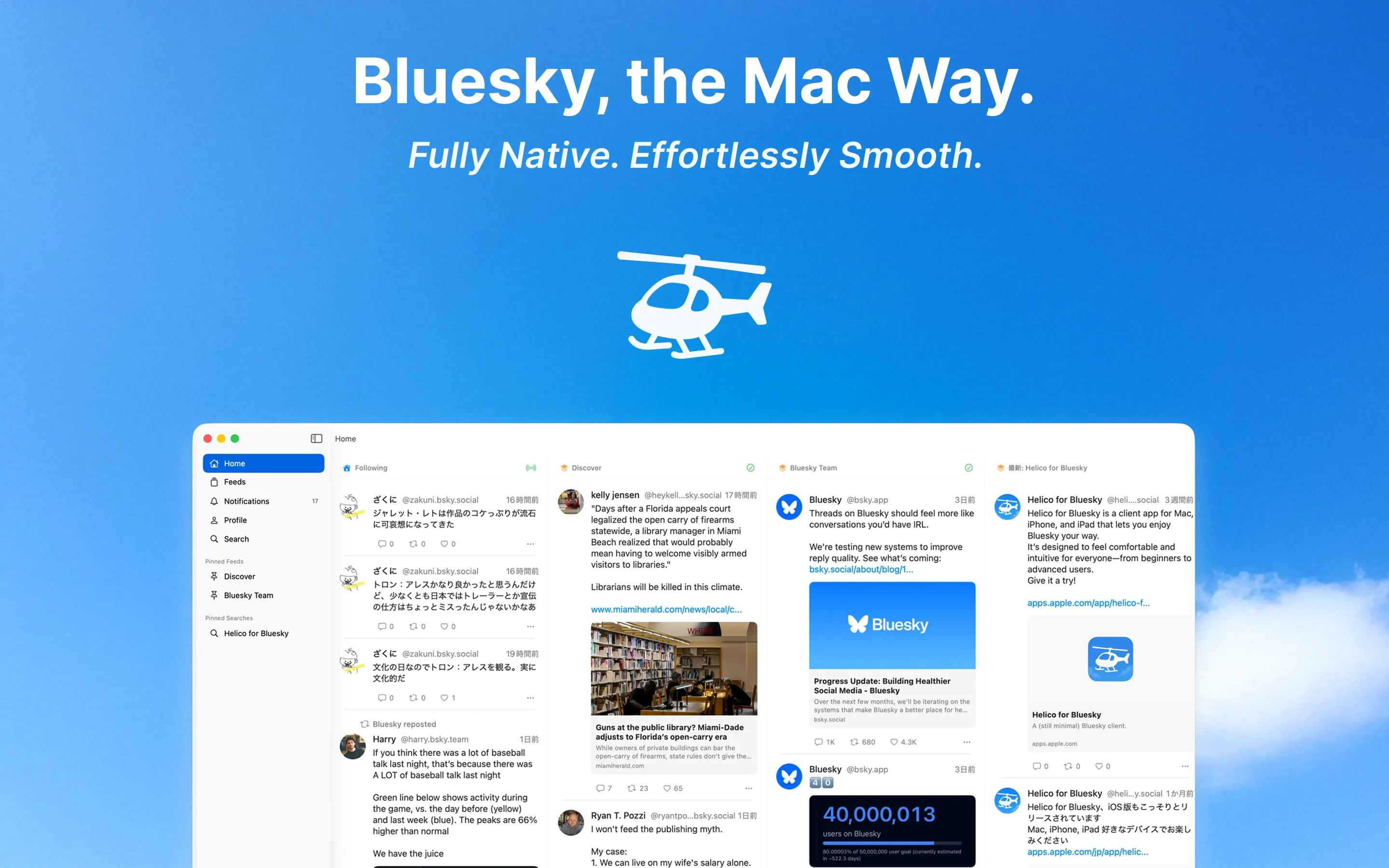
Everything, native.
Thoughtfully crafted features to get the most out of Bluesky.
Real-time Timeline
Real-time updates powered by Jetstream (WebSocket). New posts arrive instantly without disturbing where you're reading, and pull-to-refresh keeps your spot in the feed.
Direct Messages
Native support for Bluesky chat — one-on-one conversations and group chats, right from the app you already have open.
Custom Feed Management
Pin your favorite feeds and shape your timeline your way. Discover new ones in a browsable grid or by search, and join a starter pack to pick up its feeds and people in one go.
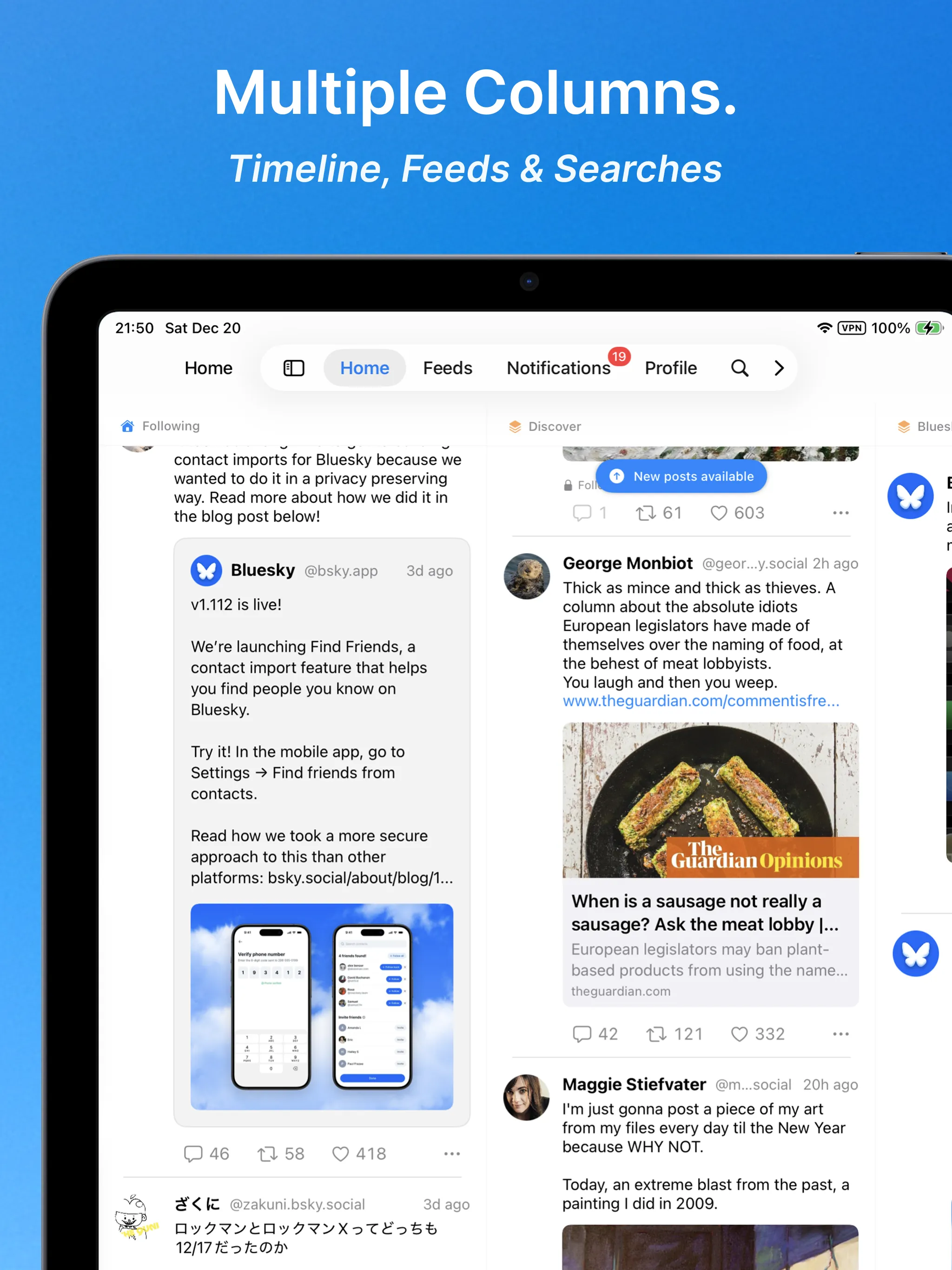
Multi-column view for maximum overview.
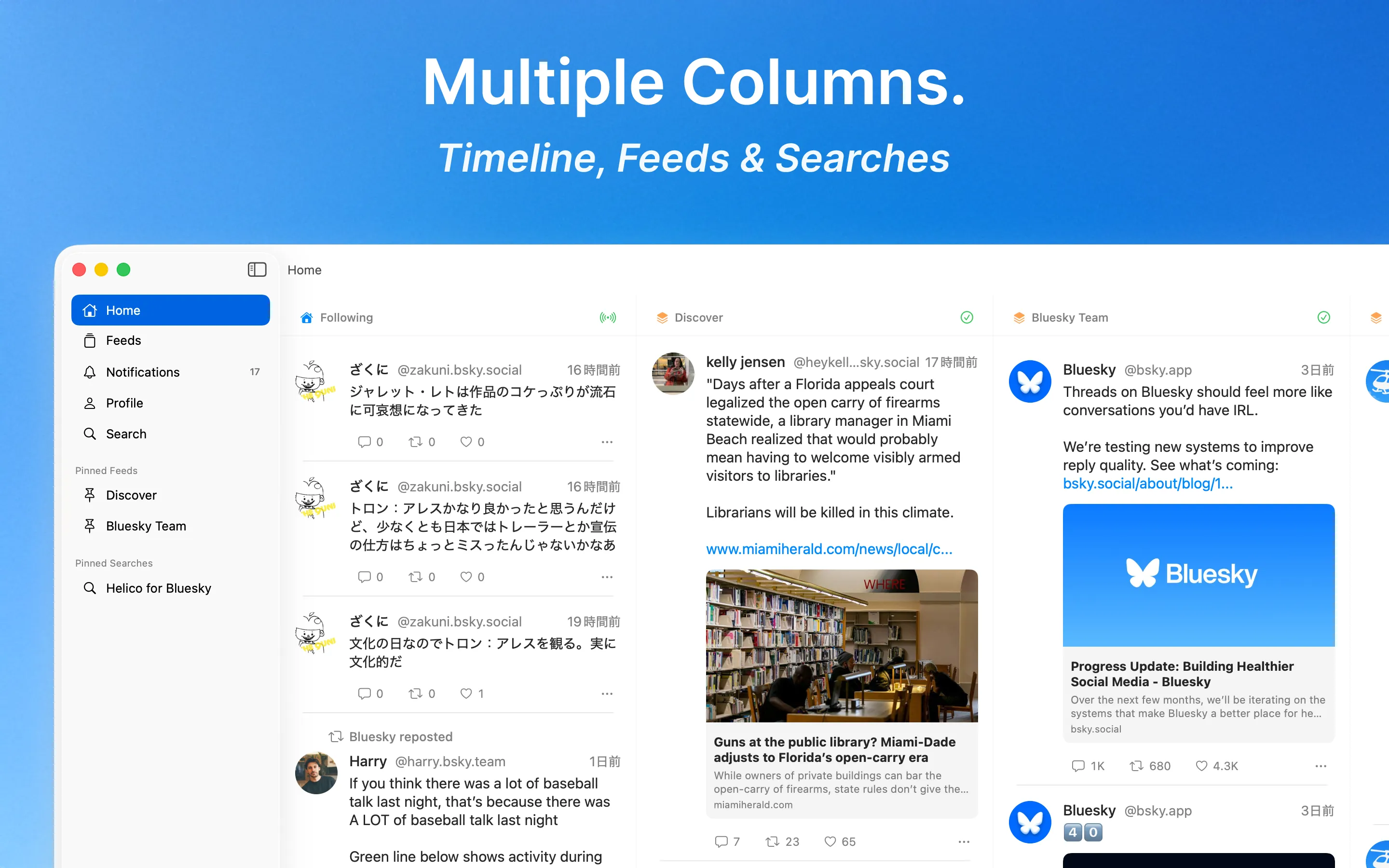
Multi-column view available on iPad and Mac. View multiple feeds and lists side by side, and drag a column's header to put them in the order you like. Auto-refresh can be paused and resumed per column, handy when you want to read without interruptions. If you have been missing TweetDeck, this is the closest you will get on Bluesky — pin timelines, lists, searches, and notifications side by side. The free plan gives you up to three columns, Home and Notifications included; Helico Premium removes the limit.
Posting that feels at home.
Helico isn't just for reading — it's a comfortable place to post on Bluesky too.
Up to ten images
Attach up to ten images per post — five or more are laid out in a clean grid. Paste an image straight from the clipboard, or on Mac drag it in from Finder. Fully aligned with Bluesky's latest image spec (up to 4000×4000, 2 MB).
Videos up to ten minutes
Post videos up to ten minutes long and 300 MB. Anything larger is scaled down automatically before upload, so you can share a clip the way you shot it.
EXIF & GPS auto-removed
EXIF metadata and GPS coordinates are stripped automatically before upload — your photos go out without leaking the location they were taken.
Quote posts
Quote a post you find interesting and add your own take when sharing it forward.
Choose your post language
Tag your posts with any of 22 languages. The default follows your device's language, and with Helico Premium, Helico reads what you wrote and picks the language for each post — pick another if it guesses wrong. Built with multilingual posters in mind.
Recent hashtag suggestions (Helico Premium)
Quickly reuse hashtags you've recently posted right from the Compose screen. A Helico Premium input-assist feature.
And much more.
Cross-platform
iPhone, iPad, and Mac. Built natively with SwiftUI, with full Dynamic Type support for comfortable text sizes.
Privacy First
Full ATProto OAuth support — your password stays with you. Posted images are automatically stripped of EXIF and location data.
Notifications, organized
Dedicated views per notification type, with likes and reposts on the same post grouped together. Chip-style filters and one-tap mark-all-read help you find what really matters. Add notifications as a column in the multi-column view, and with Helico Premium get push notifications and an app badge on iPhone and iPad.
Advanced Search
Search across users, posts, and feeds. Recent searches are one tap away, and pasting a post's URL opens that post directly.
Tune your Discover feed
Tell the Discover feed "more like this" or "not interested," and the recommendations you see gradually shift closer to your taste.
See who's live
When someone links a stream (such as Twitch) to their Bluesky live status, Helico shows a red ring and LIVE badge on their avatar—across your timeline, profiles, and more—so you can spot who's streaming right now at a glance.
High-resolution image viewer
Tap any image for full-screen viewing — zoom by pinch or scroll, and swipe to dismiss. Images load in high resolution, and on Mac the viewer window is fully resizable.
Browse media as a grid
Switch a profile's Media tab between an image/video grid and the regular timeline with one tap — take in someone's photos at a glance.
Works with Spotlight Actions
Helico exposes its actions to Spotlight, Shortcuts, and Siri. Start a search or a new post from wherever you are, and Helico opens right where you need it.
Translate posts in place
Read posts in other languages without leaving the timeline — translate from the post menu using Apple's built-in Translation.
Lightweight Mode (Helico Premium)
Show images and videos in posts as links instead of loading them. Helico stays light even when you leave it open all day, and you save data. Tap a link whenever you do want to see the media.
Steady when Bluesky isn't
When Bluesky is having an outage, Helico tells you in the app. If some servers stop responding, it keeps loading through another route.
Light & Dark Mode
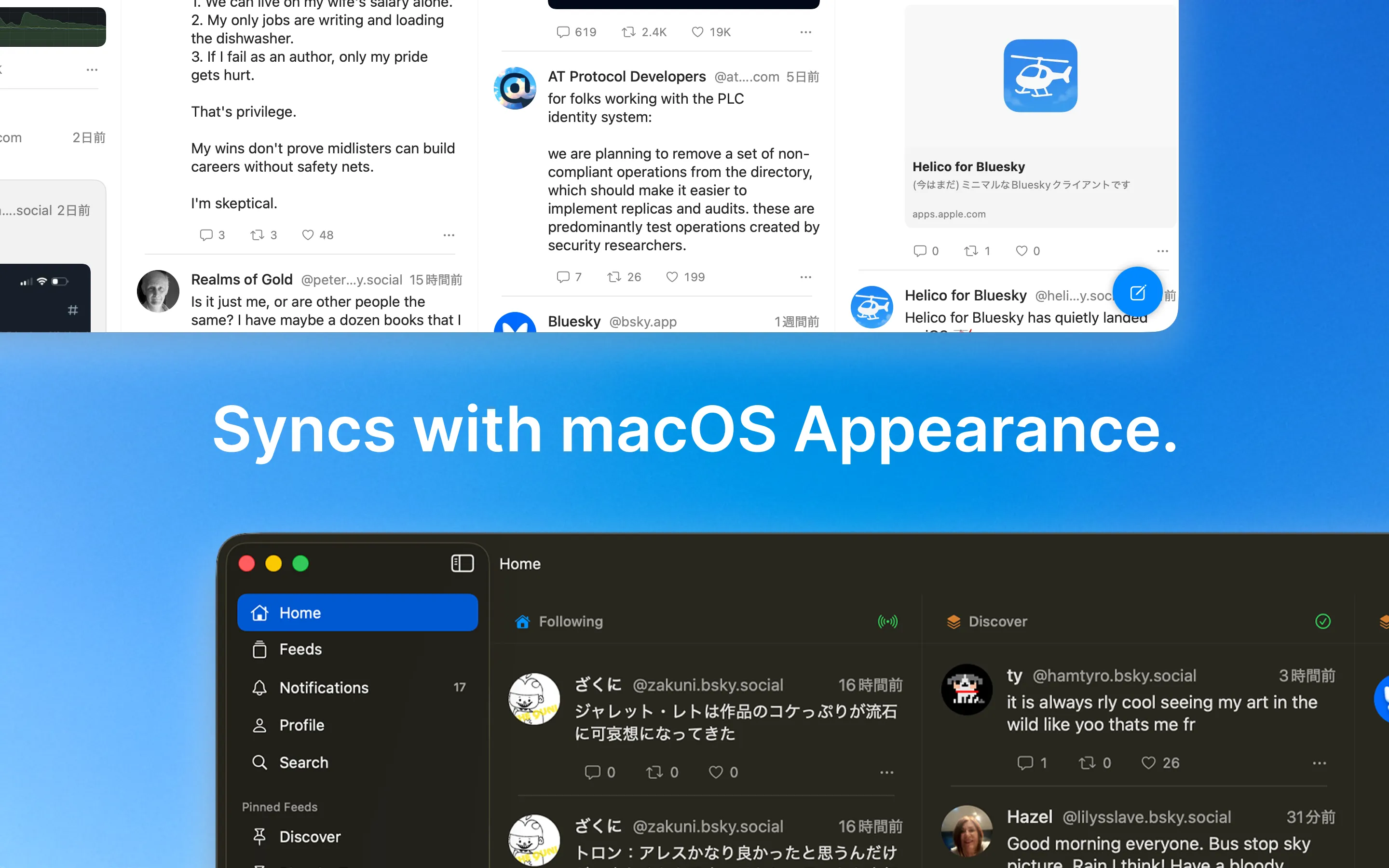
Automatically follows your macOS appearance setting. Beautiful in both light and dark.
Optimized for iPad.
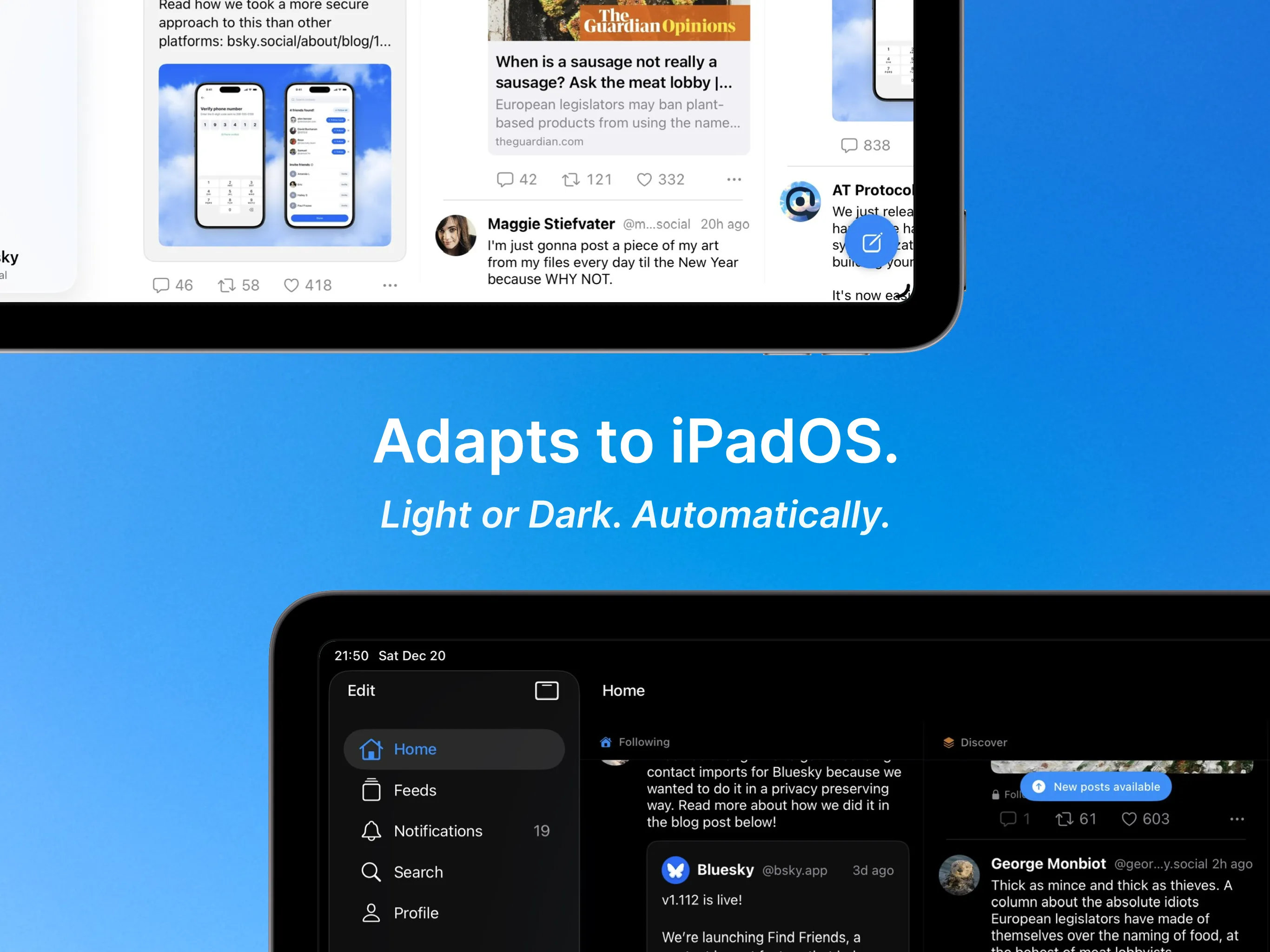
A native UI that takes full advantage of the iPad's large screen. Supports Split View and Slide Over.
See only what you want, with peace of mind.
Helico fully supports Bluesky's moderation tools, so you can shape your own timeline.
Content labels
Both Bluesky's official labels and custom labels are supported. Choose Hide, Warn, or Show per category to match your comfort level.
Blocks & mutes
Manage blocked and muted accounts in a clear list. Adjust them anytime — your feed, your rules.
Lists
Create and edit your own lists to group people or topics. List management lives entirely inside Helico.
Beyond Bluesky.
Helico is more than just a Bluesky client. It's growing to support posts and connections across the wider world of services built on the AT Protocol — the foundation Bluesky runs on.
Explore ATmosphere support →standard.site articles
Long-form articles published on standard.site appear in a rich, dedicated card that reflects the author and theme color, so you can tell what a link holds right from your timeline.
Skyblur hidden posts
Posts published through Skyblur arrive as a blur and a link. One tap unfolds the original inside the post itself, so you read the whole thing without leaving your timeline.
skyblur.ukConnected to the ATmosphere
From a profile, see the other AT Protocol services (the ATmosphere) a person uses — a window into the world beyond Bluesky.
A good fit across iPhone, iPad, and Mac
Helico is designed so the experience feels natural on each device, rather than stretching the same interface across every screen. Start on your iPhone over coffee, keep columns open on the iPad, and settle in on the Mac — one account, everywhere.
iPhone: check in and react quickly
It is easy to glance through the timeline or notifications and respond right away, without losing the flow while you are on the move.
iPad: keep a wider view of the feed
The larger screen makes it easier to keep multiple feeds or lists in view and follow what is happening with a bit more room. Attach a keyboard and Cmd+N and Cmd+F work here too.
Mac: settle in and use it more calmly
Keyboard shortcuts make Helico feel right at home on macOS — Cmd+N to compose, Cmd+F to search, and more.
Frequently Asked Questions
What is Helico?
Helico is a native Bluesky client app for iPhone, iPad, and Mac. Built with SwiftUI, it offers real-time timeline, direct messages, multi-column view, and more — everything you need to get the most out of Bluesky.
How is Helico different from the official Bluesky app?
Helico focuses on what power users miss most: a TweetDeck-style multi-column view on iPad and Mac, an interface tuned natively for each Apple device, organized notifications, and native rendering of AT Protocol services beyond Bluesky, such as standard.site articles and Skyblur posts.
Is there a TweetDeck-like way to use Bluesky with Helico?
Yes. On iPad and Mac, Helico's multi-column view lets you pin timelines, lists, searches, and notifications side by side — a TweetDeck-style deck for Bluesky. The free plan includes up to three columns, and Helico Premium removes the column limit.
Is Helico free?
Yes, Helico is free to download and use. All core features are available for free. For those looking for advanced features, we also offer a subscription plan called Helico Premium.
What does Helico Premium unlock?
Helico Premium is the paid plan for Helico. It removes the column limit on the multi-column view (the free plan supports up to three columns), turns on push notifications on iPhone and iPad — replies, mentions, quotes, follows, likes, reposts, and more — unlocks recent hashtag suggestions and automatic post language detection in the Compose screen, and adds Lightweight Mode, which shows images and videos as links to keep the app light and save data. You can choose between monthly, annual, and 12-month commitment annual (discounted) plans. The plans you see can vary depending on your device and OS version. Pricing and purchase are available from the in-app subscription screen via the App Store.
Which devices are supported?
Helico supports iPhone with iOS 18.1 or later, iPad with iPadOS 18.1 or later, and Mac with macOS 15 or later. It is designed as a native iPhone app, iPad app, and Mac app with layouts optimized for each device.
Do I need a Bluesky account?
Yes, since Helico is a Bluesky client app, you need a Bluesky account to use it. If you don't have one, you can create a free account at bsky.app.
Who is Helico for?
Helico is for people looking for a polished Bluesky client app on iPhone, iPad, and Mac. It is especially useful if you want real-time timeline updates, direct messages, custom feeds, and multi-column view on larger screens.
What is multi-column view?
Multi-column view is a feature available on iPad and Mac that lets you display multiple timelines, feeds, and lists side by side. It greatly improves information overview and is perfect for power users.
Does Helico support Bluesky direct messages?
Yes. Helico supports Bluesky direct messages, including group chats, so you can use it as an everyday Bluesky app for both reading posts and chatting.
Can Helico view custom feeds on Bluesky?
Yes. Helico lets you view custom feeds on Bluesky and pin the feeds you check most often, so they are easier to access during everyday use.
What happens to EXIF and location data on images I post?
Helico automatically strips EXIF metadata and GPS coordinates from images before uploading them. You can share photos without worrying about accidentally exposing where they were taken.
Does Helico support ATProto OAuth?
Yes. Helico supports ATProto OAuth, which means sign-in can happen without handing your password directly to the app, making account access more trustworthy and secure.
Can Helico read standard.site articles and Skyblur posts?
Yes. Long-form articles published on standard.site are shown in a dedicated card that reflects the author and theme color. Posts blurred with Skyblur unfold in place with a single tap, so you never have to follow the link out. We're continuing to expand support so content from other AT Protocol services reads natively inside Helico.
Does Helico support other AT Protocol services beyond Bluesky (the ATmosphere)?
Helico is expanding support for the wider set of services built on the AT Protocol — the foundation Bluesky runs on (often called the ATmosphere). On a profile, you can see the other AT Protocol services a person uses, giving you a window into the world beyond Bluesky.
Can I tune the Discover recommendations to my taste?
Yes. In the Discover feed you can tell a post "more like this" or "not interested." As you give feedback, the recommendations you see gradually shift closer to your taste.
Take off with Helico.
A native client for iPhone, iPad, and Mac. Free on the App Store.
Requires iOS 18.1+ / macOS 15+